Shop AceZone

BLACKBOX-01

Experience ZywOo’s multi-trophy winning audio with BLACKBOX-01 Esports Sound Card.

BLACKBOX-01 brings AceZone’s esports expertise to a dedicated DAC / Sound Card, with a base tuning shaped by testing and feedback from Counter-Strike legend, Mathieu “ZywOo” Herbaut. 

Built on the same platform as the A-Spire Wireless headset, BLACKBOX-01 combines ultra-low latency digital-to-analogue conversion with dedicated digital signal processing, giving you access to ZywOo's and several other pro-player EQ profiles, Blast Guard for clearer in-game cues, plus an eight-band parametric EQ. All available via the AceZone App.
Dial your preferred settings once, and they will be saved on the onboard memory of BLACKBOX-01, ready for your next setup, tournament, or bootcamp. BLACKBOX-01 is a limited-edition, handmade product limited to 1000 units. Each unit comes with it's own unique number identifier, printed on the top of the box.

Pair with STAGE-01 IEMs for the full ZywOo esports audio experience, or connect other compatible IEMs or headphones through the 3.5 mm output. Discover the discounted bundle here.

Note for non-EU customers: Purchase only available within Europe.

Performance highlights:

  • Developed with ZywOo
    Audio shaped by the feedback of 4x HLTV #1 Counter-Strike player Mathieu ‘ZywOo’ Herbaut. Experience esports audio like the chosen one. 
  • Your EQ. Saved onboard.
    Choose presets or create your own eight-band parametric EQ. Save it directly to BLACKBOX-01, with no running PC software required to keep your EQ active.
  • AceZone Blast Guard. Control the cues.
    Lower loud gunshots and explosions while maintaining footsteps, or Boost Lows to lift subtle cues without affecting fatiguing, loud sounds. Activate via the AceZone App.
  • Tournament Mode on. Bluetooth off.
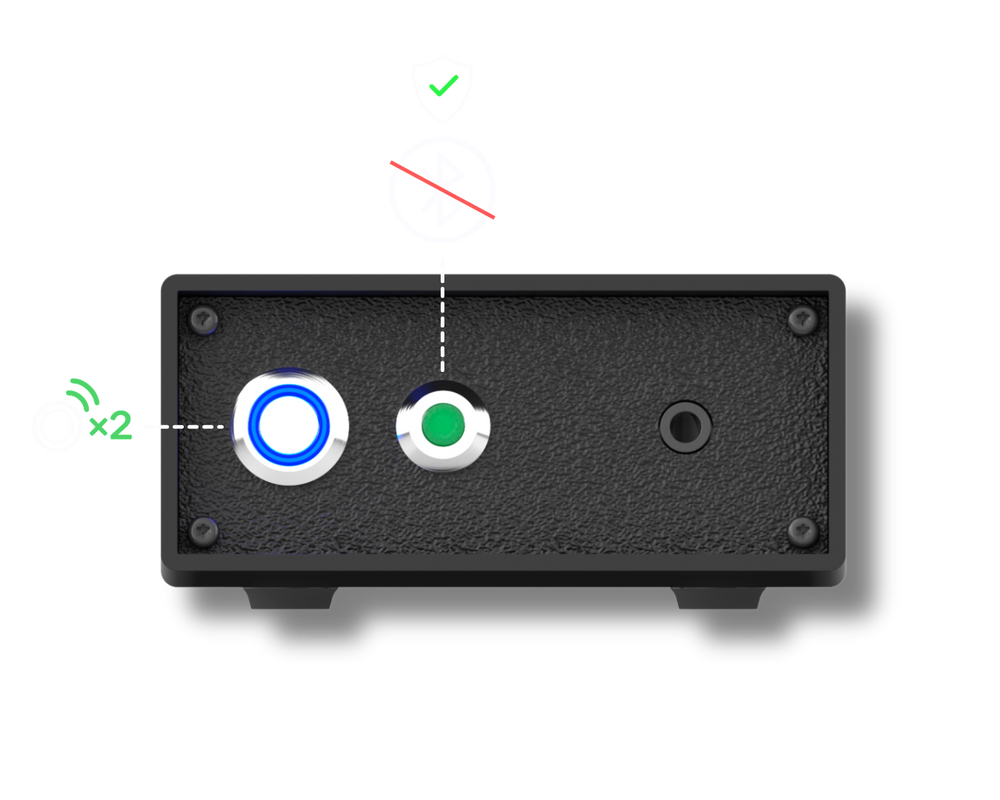
    A feature to easily disable all Bluetooth connections and discoverability. Perfect for LAN & Tournament uses. A green LED confirms to tournament admins that Tournament Mode is active

Specifications:

  • Configuration: DAC + DSP
  • DAC sample rate / resolution: 384 kHz / 24-bit
  • USB sample rate: 48 kHz
  • Frequency range (output): 20 Hz - 20 kHz
  • EQ: Customizable 8-band parametric EQ
  • Input: USB-C (Power & Data)
  • Output: 3.5mm headphone
  • Bluetooth version: 5.4 BLE
  • Power Source: USB-C
  • Tournament Mode: Disables all Bluetooth connections and discoverability
  • Compatibility: PC, Playstation 5, Nintendo Switch 2
  • Availability: Limited to 1000 units
€169,00Incl. VAT. Free shipping.
In stockShips within 24 h · Est. delivery in 2–4 working days

Complete your setup

ZywOo Stage Setup
€279,00
  • ZywOo’s multi-trophy winning sound
  • Hear footsteps clearer with Blast Guard
  • Customizable EQ in the AceZone app
  • Used by over 25 CS2 pros before release
  • Tournament Mode for pro play
  • Same engine as A-Spire Wireless

BLACKBOX-01

  • Up to 2 year warranty
  • Free shipping in Europe
  • We donate 1% - you pick the cause
the best in the game.
Developed with

the best in the game. zywoo.

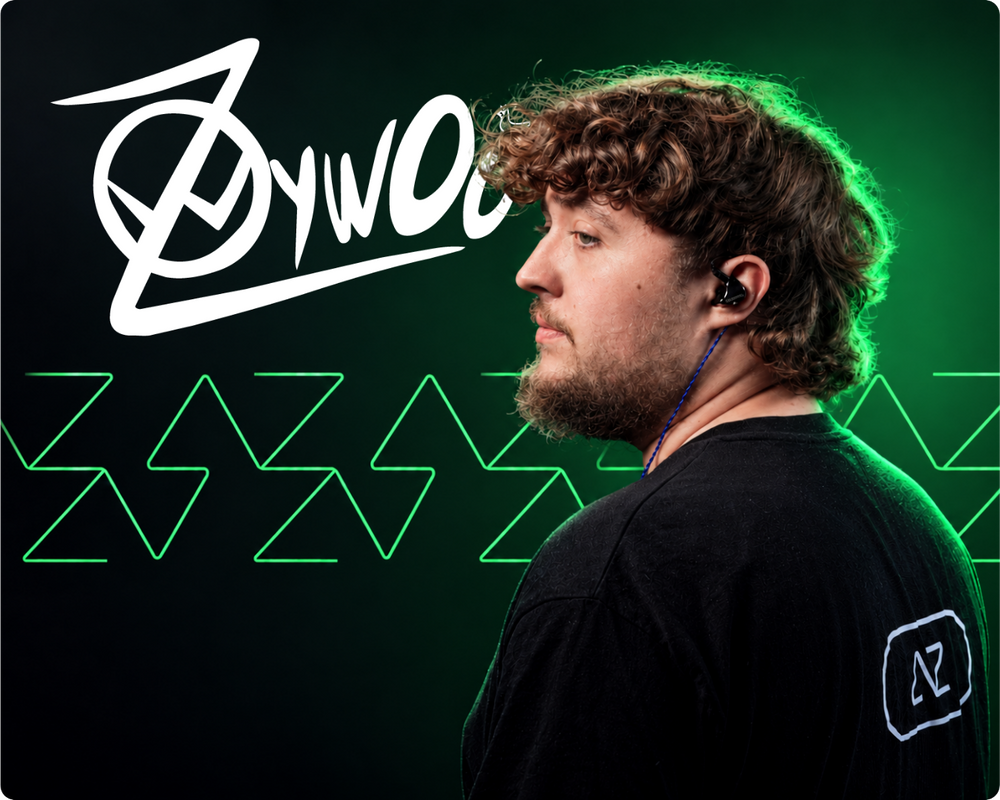
The most awarded Counter-Strike player the world has ever seen. BLACKBOX-01 was designed to meet the needs of Mathieu ‘ZywOo’ Herbaut and his peers at the highest level of esports. Experience his multi-trophy winning esports-audio tuning for your headphone setup, plug and play in seconds, anywhere.

Play like ZywOo with his signature EQ pre-loaded on the sound card, explore various game and music profiles or use the parametric EQ to create your own signature sound. The esports tuning is your starting point; the controls are yours.

4+ years using acezone audio
21x MVPs while using acezone audio
22x trophies won using acezone audio
2x HLTV #1 with acezone audio
Control the
Blast Guard lets you

Control the cues

Gunshots and explosions in CS2 can bury the quieter cues that tell you what happens next.

Blast Guard uses selective compression to give you control over the relationship between those loud effects and the subtle information underneath them, so you can hear everything in-game.

  • Lower the Loud reduces gunshots and explosions while leaving footsteps and other subtle cues untouched, decreasing brain fatigue over long sessions. 
  • Footstep Enhancer raises footsteps and subtle cues without changing the intensity of gunshots and explosions - if you never want to miss a sound cue again.
STAGE-01
Optimized for

STAGE-01 IEM

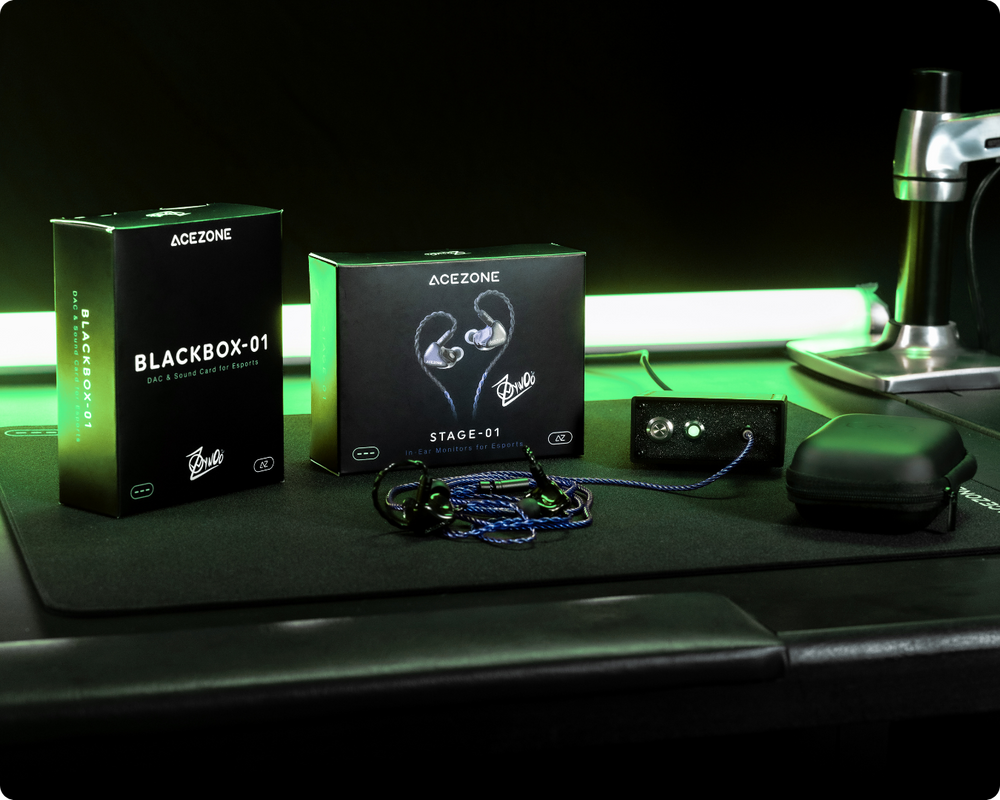
Play like the pros and pair BLACKBOX-01 with the STAGE-01 for the full ZywOo experience. 

Designed to perform together, the pairing combines our esports-focused IEM tuning with a high-quality DAC & DSP, known from the A-Spire Wireless headset. Access the same setup used by over 25 CS2 pros throughout 2026.  

Save €29 and buy the bundle here.

*BLACKBOX-01 works with any headphones with a 3.5 mm output.


ONE SETTING
AceZone App · iOS & Android

ONE SETTING
ACROSS EVERY SETUP

Built-in sound cards vary from PC to PC. BLACKBOX-01 delivers consistent, tournament-tested audio processing to any wired headphone with a 3.5 mm plug - on stage or at home.

Get game-ready with pro-player profiles like ZywOo’s, engineer-approved presets, or create your own sound with an 8-band parametric EQ in the AceZone App.

Compatible with PC, PlayStation 5 and Nintendo Switch 2.

  • ZywOo's EQ
  • Blast Guard
  • CS2
  • Valorant
  • Apex
  • COD
  • Fortnite
  • Open-world
  • Music
  • Bass Boost
  • +Many more
TOURNAMENT
BUILT FOR

TOURNAMENT PLAY

Heading to a LAN with Bluetooth restrictions? Activate Tournament Mode with a double-click.

Bluetooth and discoverability are disabled, while a green LED gives clear visual confirmation. Your saved sound settings stay active throughout.

Double-click again to exit Tournament Mode and reconnect to the AceZone App.

Individually
1000 units

Individually numbered

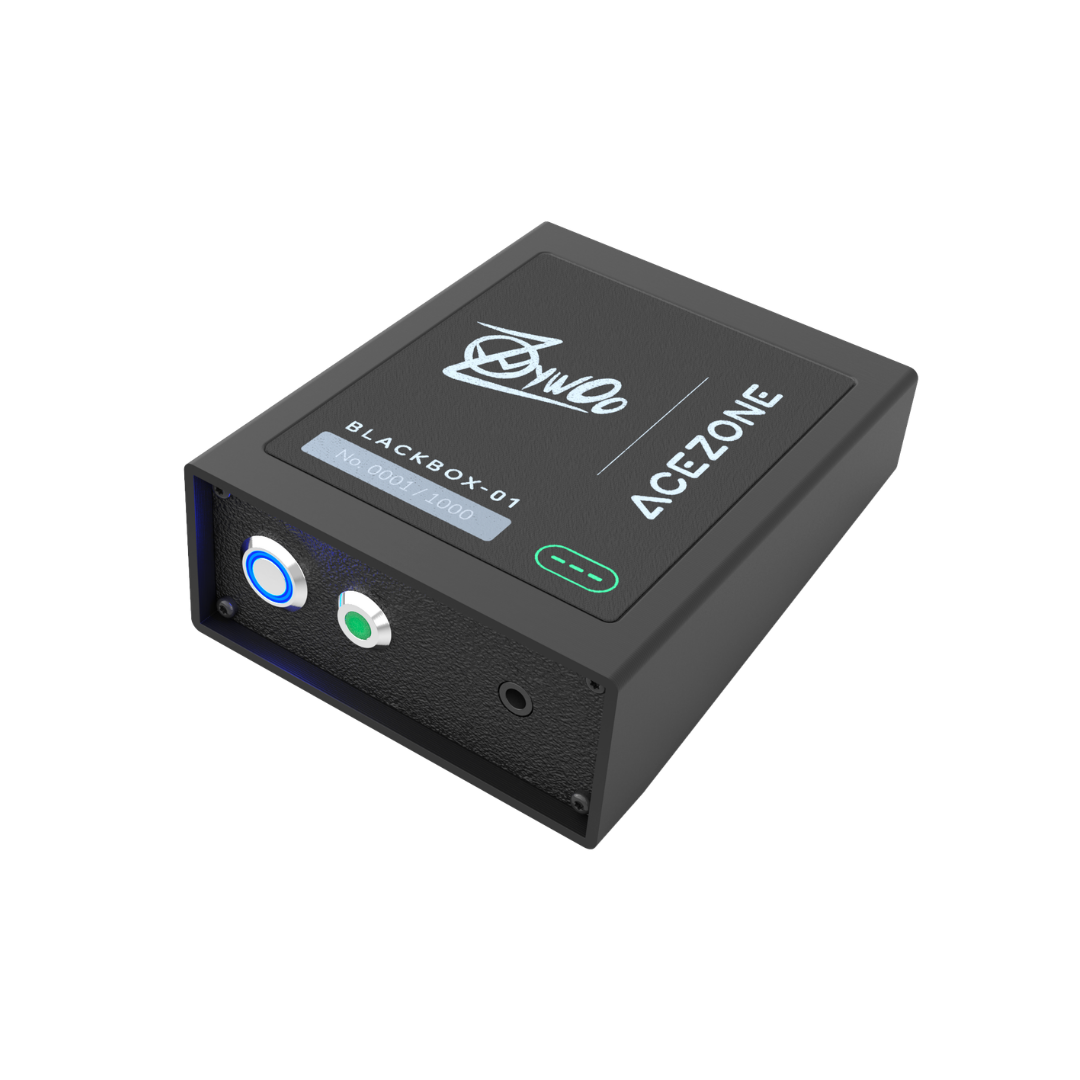
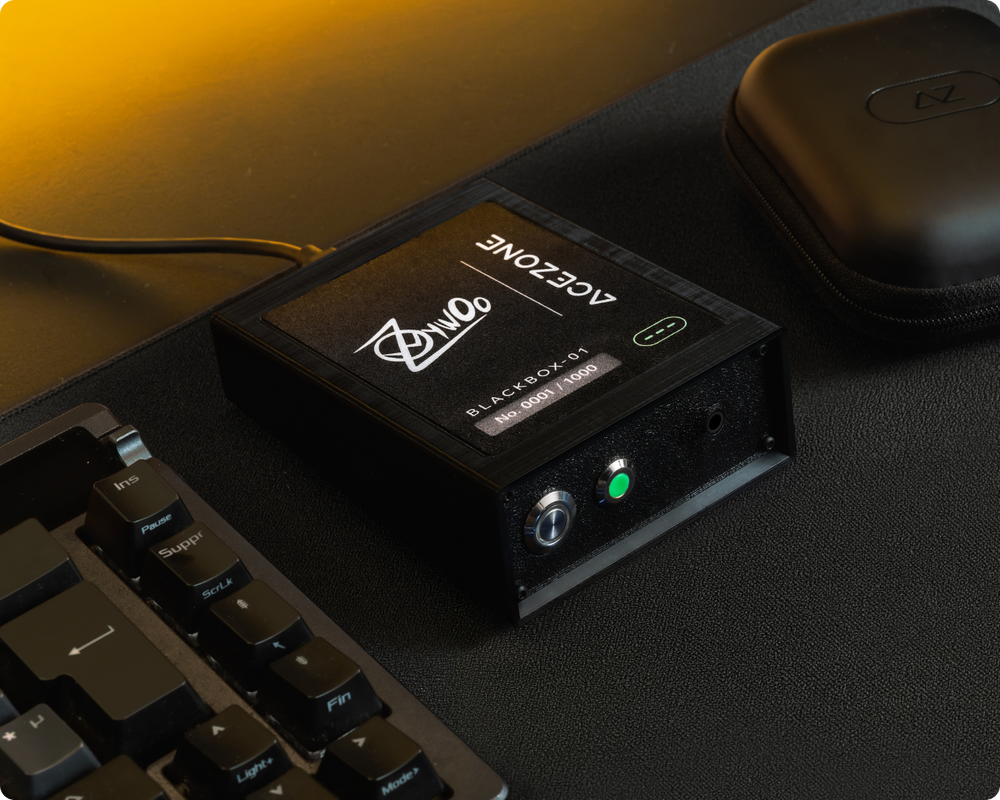
BLACKBOX-01 is hand-assembled and individually numbered. Limited to a total production run of just 1,000 units. Each carries its own unique number, marking its place in a limited edition of tournament-grade, esports audio hardware.
1000x total units
tournament TRUSTED
Built on

tournament TRUSTED TECH

AceZone’s audio approach and design philosophy always grew from the demands of professional esports. Our A-Live stage headset has been used at events run by organisers including PGL, ESL and BLAST, where only the best noise-cancelling and mic-technology is acceptable.

BLACKBOX-01 extends that esports focus to a dedicated sound card. Portable, proven hardware, onboard settings and a visible Tournament Mode give players practical control over their audio as they move between LANs, bootcamps, and their home setup
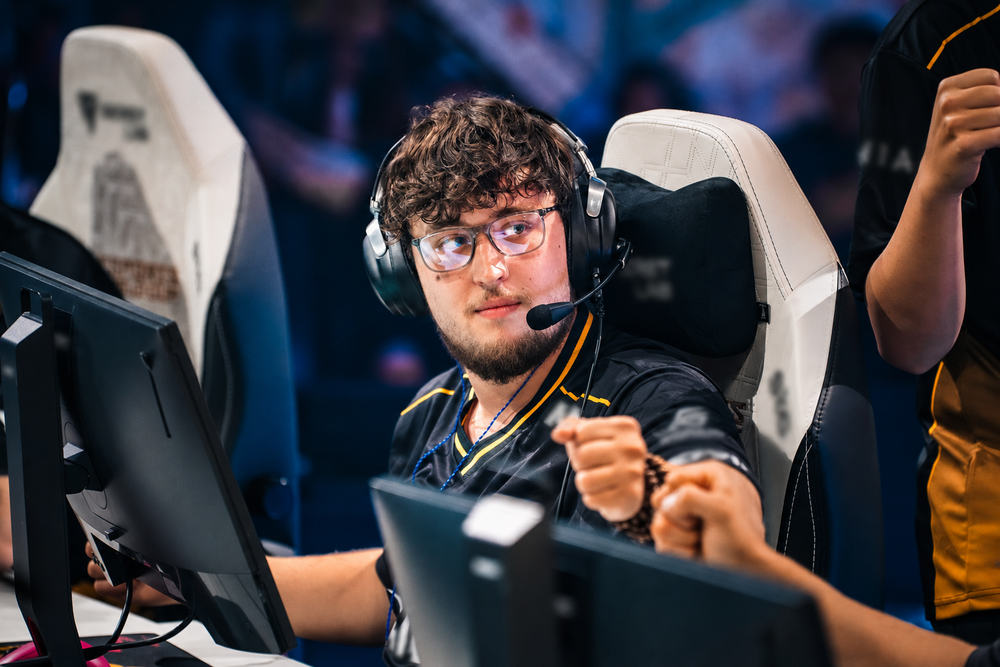
20+ Pro players are currently using the BLACKBOX-01
HAND-ASSEMBLED
Crafted in Copenhagen

HAND-ASSEMBLED

BLACKBOX-01 starts with a housing 3D-printed at AceZone in Copenhagen, before each unit is hand-assembled and finished with screen-printed details produced in Denmark

A hands-on process behind every individually numbered unit.

In the box

Everything you need.
Out of the box.

Tournament-ready from the moment you open it. Connect your 3.5 mm headphones, plug into USB-C and bring your saved sound setup with you - from home to the stage.

  • 01 BLACKBOX-01 DAC & Sound Card
  • 02 USB-C to USB-A Cable
Everything you need. - package render
BLACKBOX-01

Compatibility

specifications

built light. built right.

Configuration DAC + DSP
DAC Sample rate 384kHz
DAC Resolution 24 bit
USB Sample Rate 48kHz
Frequency Range 20Hz -> 20kHz (output)
Input USB-C (Power & Data)
Output 3.5mm
Bluetooth Version 5.4 (BLE)
Questions

Still deciding? Most people ask these.

What headphone types can I connect to the BLACKBOX-01?

The BLACKBOX-01 has a 3.5mm AUX output designed and optimized to work with the STAGE-01 IEMs.

BLACKBOX-01 also supports other over-ear and in-ear headphones with 3.5mm AUX connectivity (Audio only), but depending on the headphone impedance rating, your maximum headset volume levels can be affected. BLACKBOX-01 is optimized for a 16/32 ohm range, which is a typical range for a lot of consumer over-ear and in-ear headphones.

We consider using BLACKBOX-01 together with e.g. the A-Spire Wireless (connected via 3.5mm aux) redundant, as A-Spire Wireless already provides the customer with a fully digital audio platform via all of its supported connectivity options, allowing for the same real-time EQ capabilities & Blast Guard via AceZone App support, as the BLACKBOX-01.

Which platforms are the BLACKBOX-01 compatible with?

The BLACKBOX-01 is supported on PC, MacOS & Playstation 4 / 5 via USB.

How can I access EQ settings or set up Blast Guard on the BLACKBOX-01?

BLACKBOX-01 gives you access to the AceZone App, available on iOS & Android. Learn more about the app and find download links HERE.

To connect to the BLACKBOX-01 via the AceZone App, follow these steps:

  1. Make sure your BLACKBOX-01 is powered on and connected an audio source via USB. Connect your IEMs or headphones and wear them so you can hear the voice prompts being sent by BLACKBOX-01.
  2. Hold the button on the front for at least four seconds, until you hear the “Pairing” voice prompt.
  3. Open the AceZone app on your phone, and press on the BLACKBOX-01 device.
  4. After a few seconds, a pop-up will ask you to pair the device. Press yes.
  5. A prompt will confirm “Bluetooth Connected”, and the app will print “Connected”
  6. Now you can access pre-configured EQs, make your own, and activate Blast Guard.
My AceZone App wont connect to BLACKBOX-01. What can I do?

If the AceZone app won’t connect to your BLACKBOX-01, follow these steps to reset it and reconnect.

  1. Make sure your BLACKBOX-01 is powered on and connected to an audio source via USB. Connect your IEMs or headphones and wear them so you can hear the voice prompts being sent by BLACKBOX-01.
  2. Press and hold the front button for at least 15 seconds. You’ll hear three voice prompts in this order: “Pairing”, “Pairing list cleared”, and “Factory Reset.”
    Keep holding the button until you hear “Factory Reset,” then release it.
  3. Restart BLACKBOX-01. Wait a few seconds, then unplug the sound card and plug it back in.
  4. Remove old Bluetooth pairings on your phone. Open your phone’s Bluetooth settings. Find any devices named “AceZone Blackbox-01” and select “Forget Device” for each one.
  5. Force-close the AceZone app. Make sure it is completely closed before reopening it.
  6. Activate pairing mode on the BLACKBOX-01. With the app open, press and hold the front button on BLACKBOX-01 for 4 seconds, until you hear the prompt: “Pairing”
  7. Select “BLACKBOX-01” in the app.
  8. Accept the pairing request. After a few seconds, a “Pair device” pop-up should appear on your phone. Accept it to continue.
  9. Wait for the connection. After a few seconds, you will get a “Bluetooth Connected” prompt, and the app should show BLACKBOX-01 as connected in the top left corner.
How do I update the firmware on the BLACKBOX-01?

To update your BLACKBOX-01 search for AceZone Firmware Updater on the Microsoft Store, and download the app. This tool is PC only.

To update the Sound Card:

  1. Make sure your Sound Card is powered on, connected to the PC running the Firmware updater, and that it is not connected to any Bluetooth devices (turn off Bluetooth on any devices the Sound Card might be connected to).
  2. Disconnect other AceZone products if it is connected to your PC.
  3. Open the Firmware Updater app.
  4. Select BLACKBOX-01 in the dropdown menu.
  5. Click Update - wait for the update to finish before closing the firmware updater.
What does Blast Guard do?

Blast Guard uses selective compression to give you better control over the relationship between loud sound effects and the subtle information that often gets drowned underneath them, so you can hear everything clearly in-game.
Activating this feature will change the overall audio-perception, meaning it can take some time to get used to. Give it at least 1 match-length of testing, before deciding if it’s for you or not.

  • Lower the Loud reduces gunshots and explosions while leaving footsteps and other subtle cues untouched, decreasing brain fatigue over long sessions. 
  • Footstep Enhancer raises footsteps and subtle cues without changing the intensity of gunshots and explosions - if you never want to miss a sound cue again.

This feature changes how the game sounds and may take some getting used to. Try it for at least one full match before deciding if it’s right for you.

How does tournament mode work?

Tournament mode allows you to disable all Bluetooth connections and discoverability on BLACKBOX-01 while your settings stay active.

How to enable / disable Tournament Mode
1) Click the front button on the soundcard two times - the green Tournament Mode LED will flash on, and the ring-LED around the button will turn off.

2) To disable it, click the front button two times again. The blue LED around the button will turn on again, and the green LED turns off.

Tournament & LAN organizers tend to restrict Bluetooth devices for players, due to cheating / integrity concerns.

Even in non-tournament mode, BLACKBOX-01 only communicates over Bluetooth via the AceZone App, and thus can’t be used for other data transfer or audio purposes. It is not possible to play or stream any kind of Bluetooth audio remotely to BLACKBOX-01.

Do I need to change Windows or in-game settings when using BLACKBOX-01 for CS2?

Our sound engineers have done extensive testing on the least possible altered sound-settings for CS2 to make way for our own tuning.
This is our settings recommendation for CS2 across all AceZone audio products.

You can find them below:

Master Volume: Around 80-85%

EQ-Profile: Natural

L/R Isolation: 0%

Perspective Correction: On

For Windows audio settings, we always recommend turning off all “audio enhancements” that may be auto-enabled when plugging in audio devices in Windows.

  1. Go to System -> Sound > Properties for BLACKBOX-01
  2. Under “Advanced Settings” make sure “Audio enhancements” & “Spatial sound” is set to “OFF”.
Is BLACKBOX-01 limited to 1,000 units?

The current BLACKBOX-01 run is limited to 1,000 individually numbered units worldwide. We 3D-print the housings in Copenhagen and assemble each unit by hand in small batches, releasing new drops as they become ready.

Every drop is part of the same 1,000-unit run. Whether we’ll produce more beyond this run hasn’t been decided yet.